
Transitioning to a new platform can be daunting, and I’ll be honest, I had a moment of 'learning curve' at the start. But once I watched the demo videos, everything clicked. The UI feels incredibly intuitive, especially if you’re already familiar with Figma or Adobe XD; it speaks the same design language. It’s a lifesaver for urgent client changes where payments usually drag on. It perfectly bridges that gap, making it invaluable for building trust with new clients.
Online proofing software
Online proofing software that turns approval into payment.
Draftli is online proofing software for freelancers and small studios. Upload your deliverables, send one review link, and your client annotates, approves, and pays — all in the same flow. No client login. No second invoice.
Why creators trust Draftli
Stripe handles the money. We never do.
The card is charged by Stripe on your connected account. Draftli never holds, sees, or stores client funds. Statement descriptor is your business name. On the Free plan we deduct a 2% application fee at the transaction; Pro and Ultra are 0%. Read the explainer →
One link does everything.
Send one URL instead of an invoice. Your client reviews the work, leaves notes, approves, and pays in the same flow — no second invoice email, no “just bumping this up.”
Deposits, balance, or 50/50 — your call.
Set a deposit percentage when you create the project. The client pays the deposit through Stripe, reviews unlock, and the balance is charged on approval — also through Stripe, also directly to you. Files stay watermarked until both clear.AIGA’s payment strategies guide lists 50/50 as one of the standard structures ↗
Your client never logs in.
One link. They review on their phone, leave notes, and approve. No sign-up, no app, no password reset.
Watermarked until they pay.
Previews go out stamped. Originals stay in private storage. The watermark drops the moment the payment clears.
Testimonials
Creators who actually use it.
Real quotes from creators using Draftli.

"This is an incredible platform for design proofs. For instance, if someone receives a logo design project and wants a platform that facilitates real-time feedback between the client and the designer, this is the simplest and most minimalist solution. Highly recommended. "

How it works
From upload to approval in three steps
No onboarding for your client, no new tool for you to learn. The whole proofing loop fits in a single link.
1
Upload your work
Drag in PNGs, JPGs, PDFs, or video. Draftli watermarks every preview automatically and keeps your originals in private storage.
2
Share one review link
Your client opens the link in any browser — no account, no app. They drop pins on the exact spot and leave notes.
3
Approve & get paid
When the work is right, they hit Approve. Stripe charges the card on your account and the originals unlock to download.
That last step is the part most proofing tools leave out. In Draftli, approval is payment — the yes and the money are the same click.
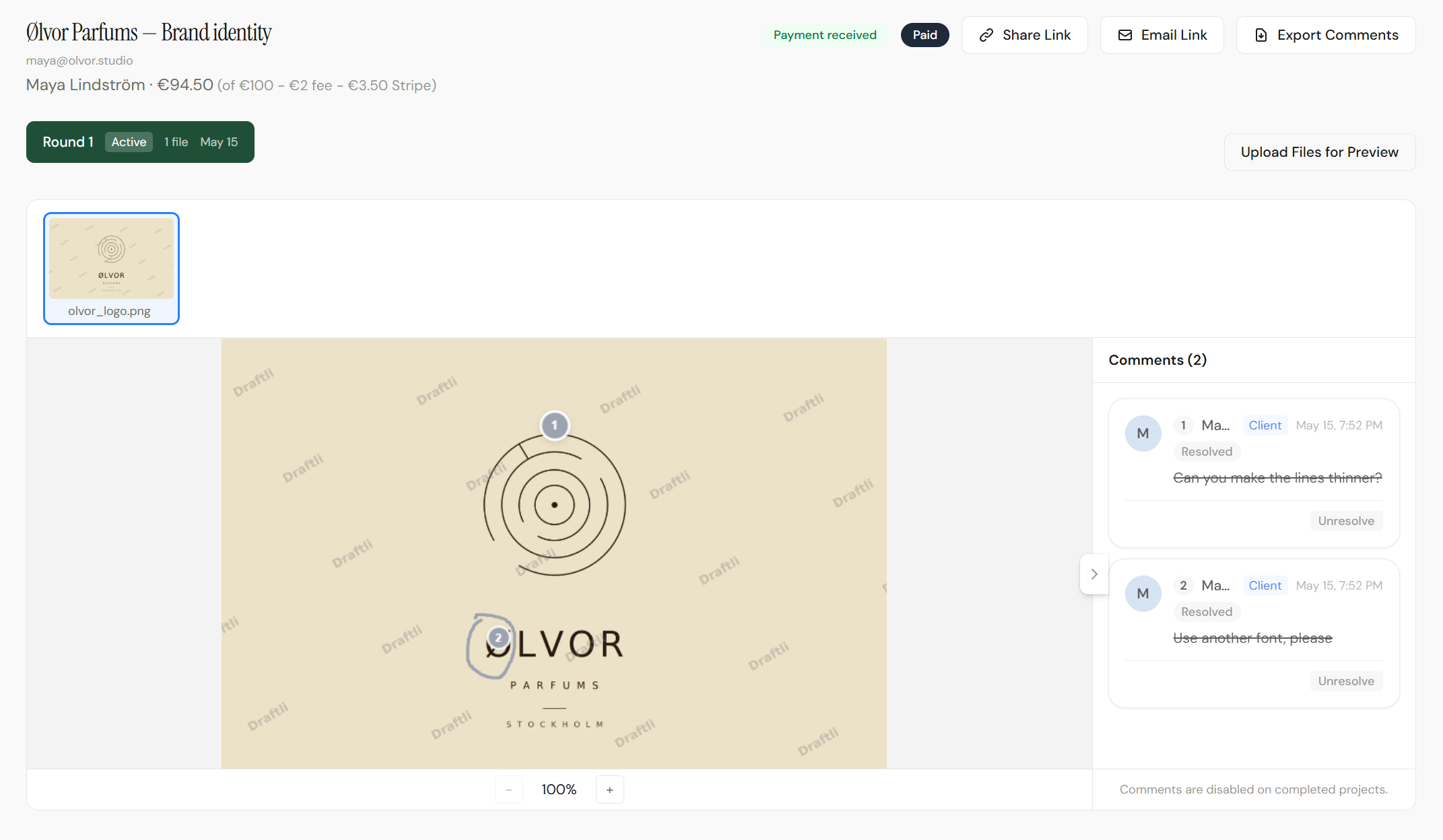
Pin-point feedback
Annotate the actual file, not a flattened screenshot.
Every comment is tied to a coordinate on the file, so feedback never gets lost in an email thread or attached to the wrong version.
- Drop a pin anywhere on an image and the note sticks to that spot.
- PDFs render page-by-page so clients can mark up any page.
- Video ships as preview clips with timestamped comments.
- Threads resolve as you fix them — and update in realtime.
Who it's for
Built for the work creatives actually deliver
One proofing workflow, whatever the medium.

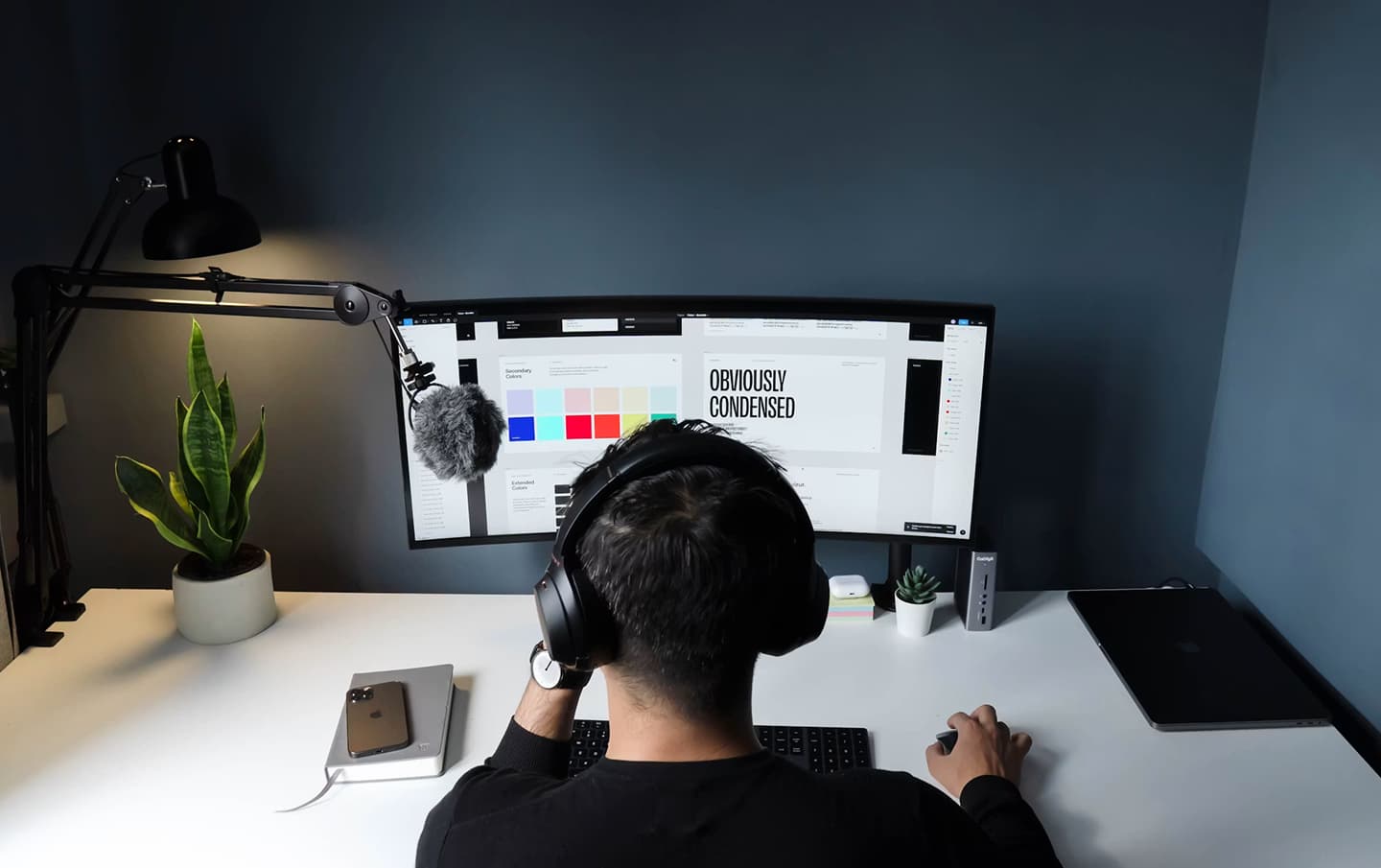
Designers
Brand decks, mockups, logos. Watermarked PNG, JPG, and PDF previews with annotations that stick to the file.

Video editors
Preview clips out, full-resolution masters locked until payment. Clients review and comment on their phone.

Photographers
Watermarked galleries. Selects approved frame by frame. Originals release the moment payment clears.
Studios & agencies
Run every client through one branded review link, track rounds, and bill on approval — no separate invoicing tool.
See it end to end
The whole proofing flow in 40 seconds
Project created. Files uploaded. Link shared. Client approves. Money in. The entire loop, condensed.
One clear overview
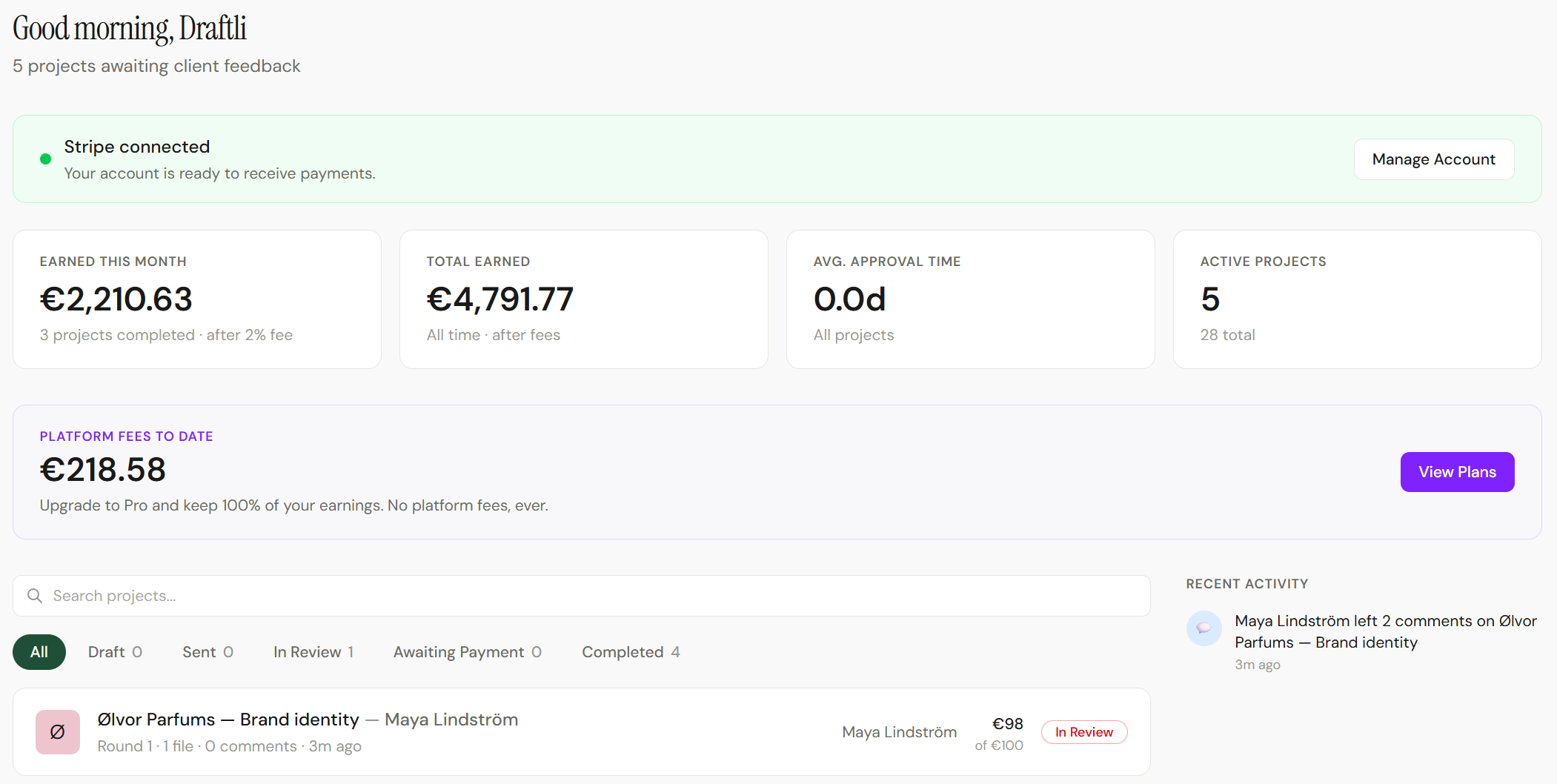
Every project, round, and approval in one place.
Follow each project from sent to approved to paid without digging through email. You always know which round the client is on and exactly what they signed off.
Review workflows
Send a round, get feedback, supersede it with a new version. Every round is stacked and labeled so nothing gets confused.
Comment threads
Reply to client notes, resolve them as you go, and watch new comments arrive in realtime while you work.
Approval tracking
Approval is explicit and timestamped — and on a paid project, it is the moment the charge goes through.
Works with
Fits the tools you already use
No new stack to adopt. Draftli plugs into the payment rails and file formats you and your clients already rely on.
Payments by Stripe
Charges run on your connected Stripe account. Draftli never holds your money.
Every common file type
PNG, JPG, WebP, multi-page PDF, plus MP4 and MOV video.
Any browser
Clients review on desktop or phone with nothing to install.
Email + realtime
Clients get email notifications; you see comments as they land.
Share your work with confidence.
Clients see enough to give feedback and approve — never enough to walk away with the finished file before they pay.
Clients only ever see watermarked previews. Every preview is stamped automatically the moment you upload, and the watermark drops only when payment clears.
Your originals never leave private storage. Full-resolution files sit in a separate bucket with no public access. Previews and originals are never in the same place.
Download links are signed and expire. Every download URL is generated fresh per request and times out within hours — a leaked link goes stale, it doesn’t stay open.
Your client never logs in. Review happens through one signed share link, not an account — nothing for a client to have phished or reused.
Card data is handled by Stripe, not Draftli. Stripe is PCI-DSS Level 1 certified, the highest level the standard defines. Draftli’s database has no card field.
Want the detail your client asks for?
Read how payments work →Online proofing software, answered.
The questions creators ask before they send their first review link. More on why creators choose Draftli and on pricing.
What is online proofing software?
Online proofing software lets you share creative work with clients for review and approval in the browser — no file attachments, no marked-up screenshots emailed back and forth. Clients open a link, leave pinned comments on the exact spot, and approve when the work is right. Draftli adds payment to that loop: approval charges the client through Stripe in the same flow.
How does online proofing work in Draftli?
You upload your deliverables, Draftli generates watermarked previews, and you send one review link. Your client opens it in any browser, drops pins to leave feedback, and requests changes or approves. On approval, Stripe charges the card on your account and the unwatermarked originals unlock for download.
Do my clients need an account to review files?
No. Clients open the share link and review the work without signing up, installing an app, or creating a password. Asking a client to make an account before they can give feedback is friction at the wrong moment, so Draftli removes it entirely.
What file types can I proof?
Images (PNG, JPG, WebP), PDFs rendered page-by-page so clients can mark up any page, and video (MP4, MOV) with auto-generated preview clips. Files can be up to 500 MB on the Free plan and 2 GB on Pro and Ultra.
Is Draftli's online proofing software free?
Yes. The Free plan has no subscription cost — you get unlimited projects and pay a 2% platform fee only on approved, paid projects. Pro is a flat $10/month with no platform fee. You can run review-only projects without taking payment at all.
How is proofing different from just emailing files?
Email scatters feedback across replies, loses track of which version a comment refers to, and leaves approval ambiguous. Online proofing keeps every comment pinned to the file, versions stacked in rounds, and approval explicit and timestamped — so there is no doubt about what was approved or when.
Can clients approve work and pay in the same place?
Yes — this is what makes Draftli different from a pure proofing tool. When a client approves, Stripe Checkout opens on your connected account and the charge happens immediately. There is no separate invoice to send or chase. The charge appears under your business name on the client's statement.
Is my work protected before the client pays?
Yes. Clients only ever see watermarked previews. Your full-resolution originals live in a separate private storage bucket with no public access, and they unlock only after payment clears. The watermarked preview is, in practice, a screenshot of your work — not the file.