
Transitioning to a new platform can be daunting, and I’ll be honest, I had a moment of 'learning curve' at the start. But once I watched the demo videos, everything clicked. The UI feels incredibly intuitive, especially if you’re already familiar with Figma or Adobe XD; it speaks the same design language. It’s a lifesaver for urgent client changes where payments usually drag on. It perfectly bridges that gap, making it invaluable for building trust with new clients.
Free proofing software
Free proofing software that’s actually free.
Draftli is free proofing software for freelancers and small studios. Unlimited projects, no trial countdown, and no credit card to start. Clients review and approve your work in one link — and the only money that ever changes hands is a small 2% fee when a client actually pays you. Review-only projects are completely free.
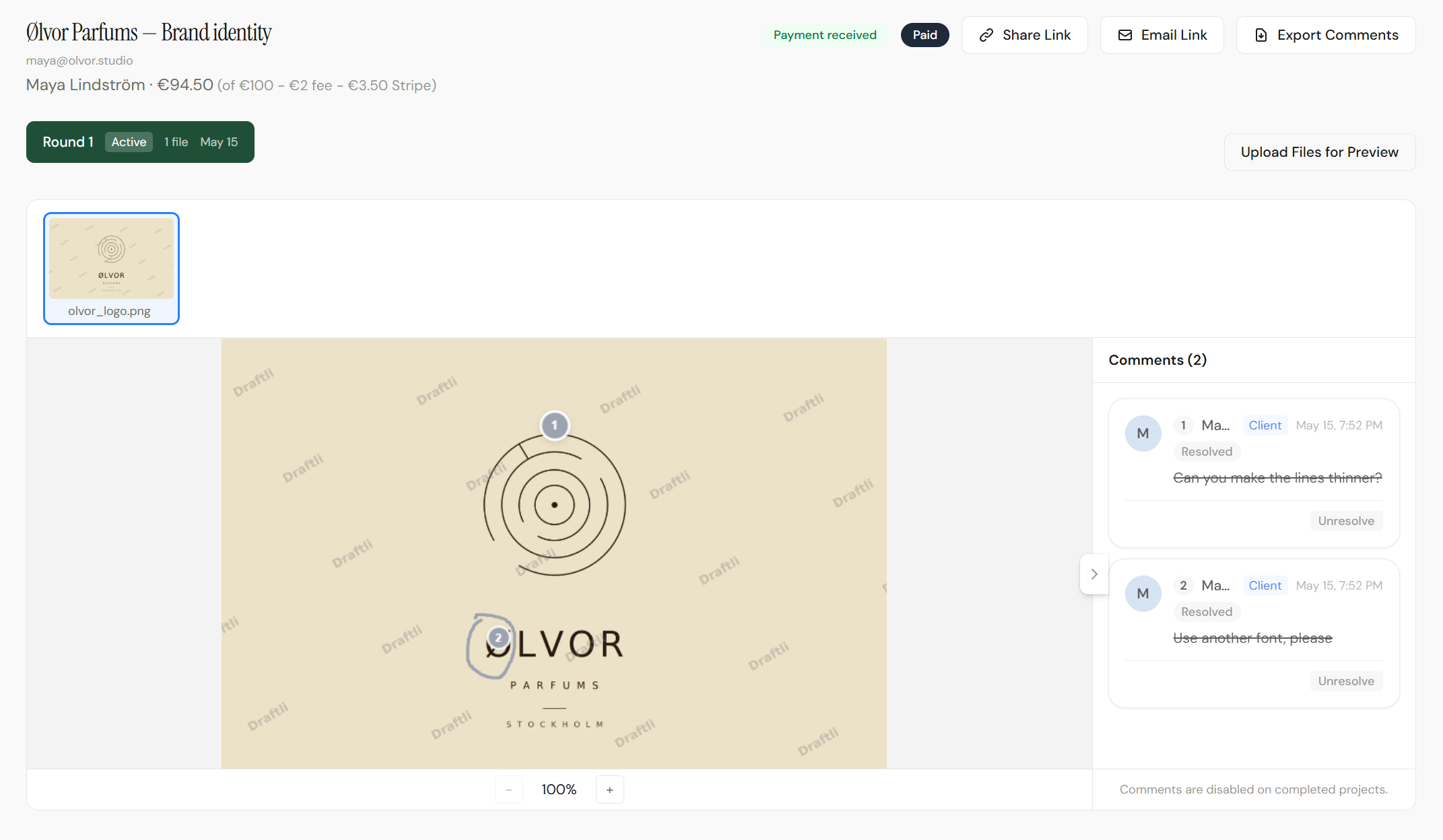
Free plan
What you get for $0
No trial countdown and no feature held hostage — here’s exactly what the free plan includes.
Unlimited projects
Run as many client projects as you want. There is no monthly project cap on the free plan.
1 GB of storage
Room for a steady stream of previews and deliverables. Upgrade for 25 GB on Pro or 100 GB on Ultra when you outgrow it.
500 MB per file
Upload images, multi-page PDFs, and video up to half a gigabyte each. Pro and Ultra raise this to 2 GB.
No credit card
Start with a magic link or Google — no card, no billing details, and nothing to cancel later.
No trial clock
The free plan does not expire and never flips into a paywall. It is the permanent default, not a 14-day tease.
2% only when paid
No subscription fee at all. You pay a 2% platform fee only on projects that actually get paid — and review-only projects are free.
Why creators trust Draftli
Stripe handles the money. We never do.
The card is charged by Stripe on your connected account. Draftli never holds, sees, or stores client funds. Statement descriptor is your business name. On the Free plan we deduct a 2% application fee at the transaction; Pro and Ultra are 0%. Read the explainer →
One link does everything.
Send one URL instead of an invoice. Your client reviews the work, leaves notes, approves, and pays in the same flow — no second invoice email, no “just bumping this up.”
Deposits, balance, or 50/50 — your call.
Set a deposit percentage when you create the project. The client pays the deposit through Stripe, reviews unlock, and the balance is charged on approval — also through Stripe, also directly to you. Files stay watermarked until both clear.AIGA’s payment strategies guide lists 50/50 as one of the standard structures ↗
Your client never logs in.
One link. They review on their phone, leave notes, and approve. No sign-up, no app, no password reset.
Watermarked until they pay.
Previews go out stamped. Originals stay in private storage. The watermark drops the moment the payment clears.
Testimonials
Creators who actually use it.
Real quotes from creators using Draftli.

"This is an incredible platform for design proofs. For instance, if someone receives a logo design project and wants a platform that facilitates real-time feedback between the client and the designer, this is the simplest and most minimalist solution. Highly recommended. "

How it works
Free proofing in three steps
Sign up free, send a link, and only think about money if it is a paid project.
1
Sign up free
Create an account with a magic link or Google in seconds — no credit card, no sales call. You are in the dashboard right away.
2
Send one review link
Upload your work and share a single link. Your client reviews and comments in the browser with no account of their own.
3
Approve — pay only if it’s paid
Review-only projects close for free. On a paid project, approval charges the client through Stripe and you keep all but a 2% fee.
On a paid project, that yes is the invoice — that’s what approval is payment means.
No asterisks
The free plan is the real product.
Free does not mean crippled. Every core part of Draftli works on the free plan — the same review experience your paying clients see.
- Pinned annotations and threaded comments on every file.
- Automatic watermarking and private storage for your originals.
- Versioned rounds, realtime updates, and explicit approval.
- Take payment on approval whenever you want — or leave it off entirely.
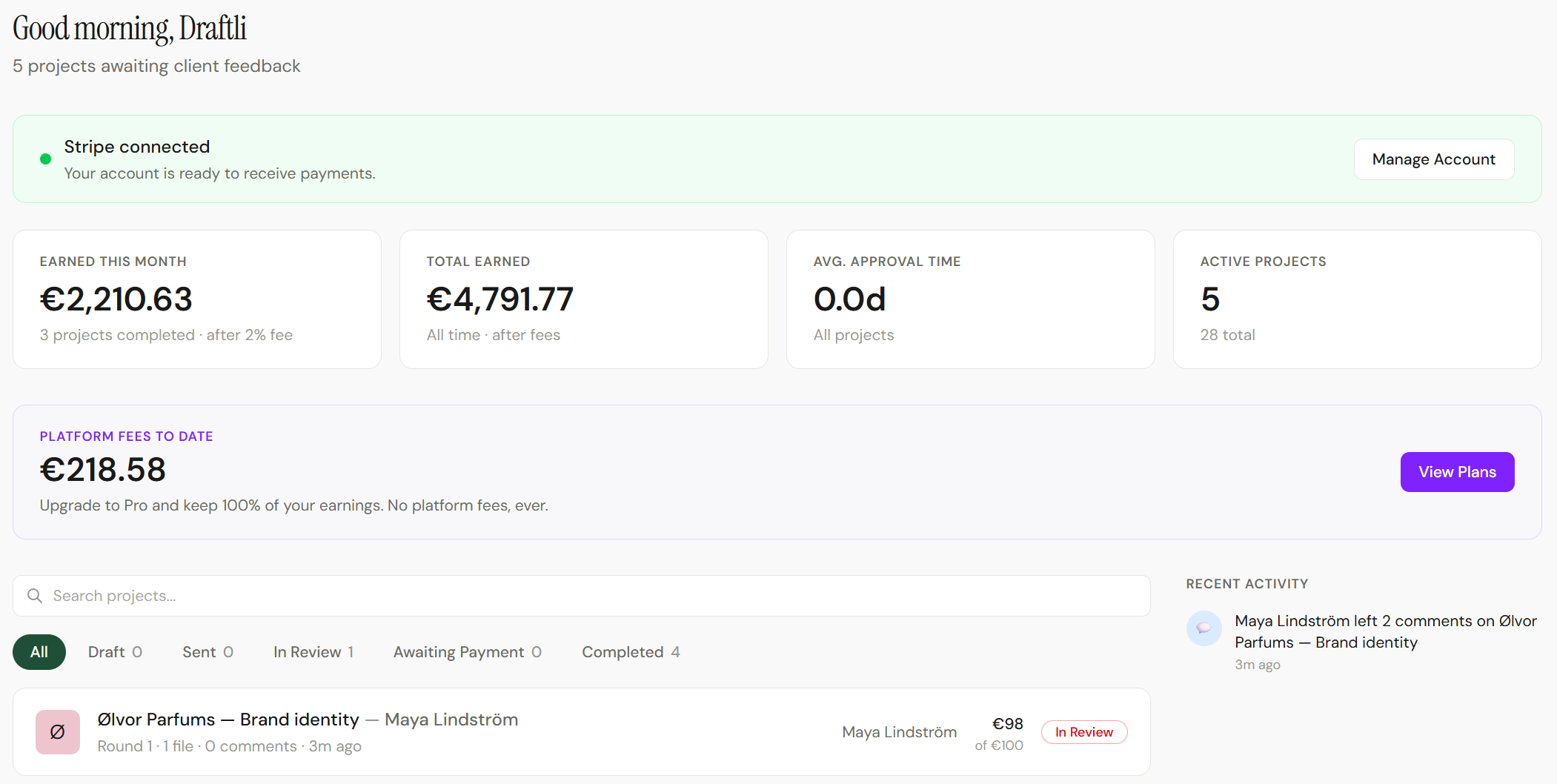
No catch
Where ‘free’ ends — and what it costs
Most tools call themselves free, then meter you by the seat or expire on day 14. Here is Draftli’s actual model.
Free, forever
No subscription on the free plan. It is not a trial — there is no clock, and it never converts to paid on its own.
2% only on paid projects
When a client pays you through Stripe, a 2% platform fee comes out. Review-only projects cost nothing, ever.
Upgrade only when you outgrow it
Pro is a flat $10/month with 0% platform fee and 25 GB; Ultra adds 100 GB and custom branding. Move up only when the math favors it.
See the full breakdown on pricing.
Who it's for
Made for freelancers getting started
The people who need proofing software that doesn’t bill them before they’ve billed anyone — from independent freelancers to small studios.

Designers
Logos, brand decks, social sets. Run unlimited client projects on the free plan and only pay when one pays you.

Video editors
Watermarked preview cuts, masters locked until payment — included free, with no per-project charge.

Photographers
Share watermarked galleries for selects and sign-off without paying for a seat you barely use.
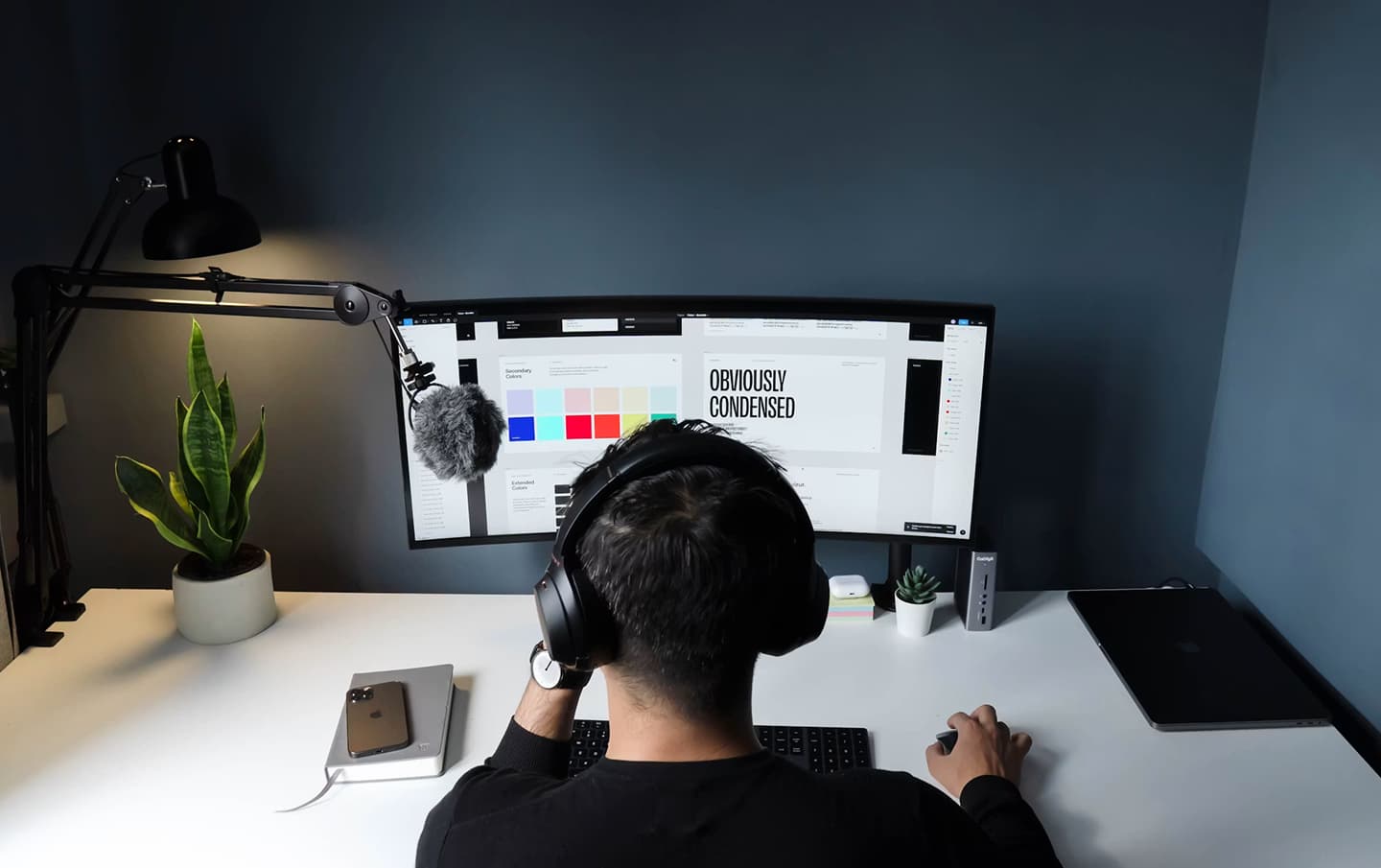
Side hustles & new studios
Test client proofing with zero commitment. No card up front, and nothing to cancel if it is not for you.
See it end to end
The whole flow in 40 seconds
Project created, link shared, client approves, money in — the entire loop, free to start.
Free to use. Serious about your work.
A free plan does not mean a careless one. Your previews are watermarked and your originals stay locked the same way they would on any paid plan.
Clients only ever see watermarked previews. Every preview is stamped automatically the moment you upload, and the watermark drops only when payment clears.
Your originals never leave private storage. Full-resolution files sit in a separate bucket with no public access. Previews and originals are never in the same place.
Download links are signed and expire. Every download URL is generated fresh per request and times out within hours — a leaked link goes stale, it doesn’t stay open.
Your client never logs in. Review happens through one signed share link, not an account — nothing for a client to have phished or reused.
Card data is handled by Stripe, not Draftli. Stripe is PCI-DSS Level 1 certified, the highest level the standard defines. Draftli’s database has no card field.
Want the detail your client asks for?
Read how payments work →Free proofing software, answered.
The questions creators ask about Draftli’s free online proofing software before they send their first review link. More on why creators choose Draftli and on pricing.
Is Draftli’s proofing software really free?
Yes. Draftli has a genuinely free plan — no subscription, no trial that expires, and no credit card to sign up. You get unlimited projects and the full review-and-approval workflow, and you only pay a 2% platform fee on projects that actually get paid.
Do I need a credit card to start?
No. You sign up with a magic link or your Google account — no card and no billing details. There is nothing to cancel, because there is no trial running in the background.
Does the free plan expire or turn into a trial?
No. The free plan is the permanent default, not a countdown. It does not convert to a paid plan on its own and never locks your projects behind a paywall. You upgrade only if and when you choose to.
What is included in the free plan?
Unlimited projects, 1 GB of storage, and files up to 500 MB each. You get pinned annotations, threaded comments, versioned rounds, automatic watermarking, private storage for originals, realtime updates, and approval — the same review experience on every plan.
What is the catch — how does Draftli make money on a free plan?
Two honest ways. On paid projects, Draftli takes a 2% platform fee when the client pays, and review-only projects are free. And creators who want more — 0% fees, 25 GB or 100 GB of storage, larger files, or custom branding — upgrade to Pro or Ultra. The free plan itself stays free.
Do my clients pay anything to review or approve?
Never. Clients open your link and review, comment, and approve without paying anything or creating an account. The only charge that ever happens is the project amount you set — and only on a paid project, when they approve.
What are the limits of the free plan?
1 GB of total storage, 500 MB per file, and no custom client-portal branding. If you need 2 GB files, 25 GB to 100 GB of storage, or your own branding on the review page, Pro and Ultra raise those limits — see pricing for the full comparison.
When should I upgrade from the free plan?
When the free limits start to pinch: you are bumping the 1 GB storage cap, you need to send files larger than 500 MB, you want 0% platform fees on paid work, or you want custom branding on the client portal with Ultra. Until then, free is genuinely enough to run real client work.