Transitioning to a new platform can be daunting, and I’ll be honest, I had a moment of 'learning curve' at the start. But once I watched the demo videos, everything clicked. The UI feels incredibly intuitive, especially if you’re already familiar with Figma or Adobe XD; it speaks the same design language. It’s a lifesaver for urgent client changes where payments usually drag on. It perfectly bridges that gap, making it invaluable for building trust with new clients.
One link. Review to payment.
Share your work. Get it approved. Get paid.
Upload your deliverables, send one review link, and your client annotates, approves, and pays — all in the same flow.
Testimonials
Creators who actually use it.
Real quotes from creators using Draftli.

"This is an incredible platform for design proofs. For instance, if someone receives a logo design project and wants a platform that facilitates real-time feedback between the client and the designer, this is the simplest and most minimalist solution. Highly recommended. "

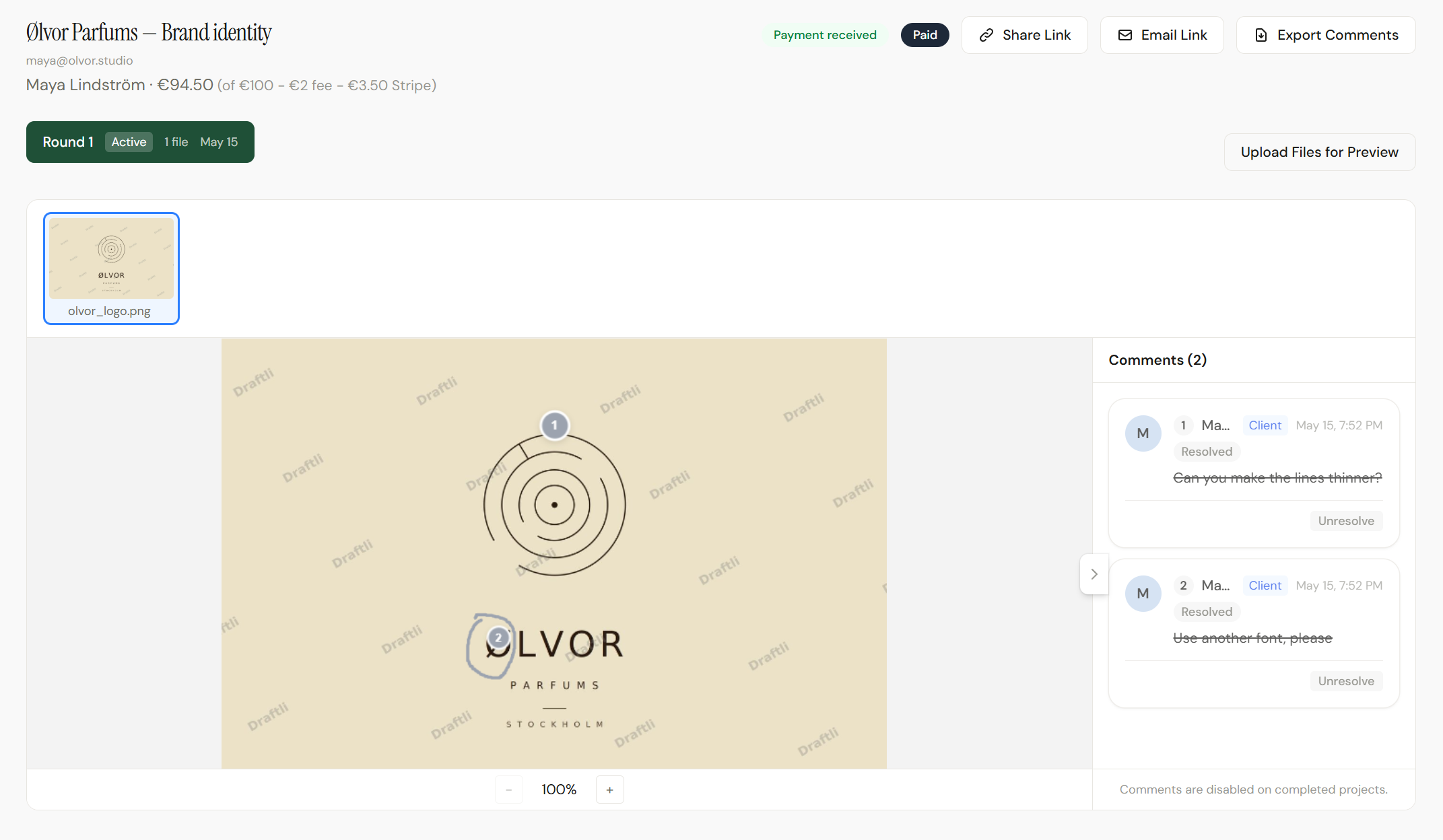
 Ølvor Parfums — Brand identity, Round 1In review
logo-marks.pngwordmark.svgbrand-guide.pdf
Interactive proofing demo: click the image to drop a review pin, then approve to see the payment flow.

1
Maya, client
Can the rings be a hair thinner?
2
Round 1 ready
Payment received
$100 · Just now
Send one link
instead of an invoice.
Your client reviews the work, approves it, and payment happens in the same flow. No second invoice email. No “just bumping this up.” No waiting on a card they meant to dig out last Tuesday.
Stripe-secured
Funds go directly to your Stripe account. Draftli isn’t the payment processor.
Deposits ready
50/50, deposit + balance, or one-time. Your call.
Free plan available. 2% on Free, 0% on Pro. Payments by Stripe — Draftli isn’t the payment processor.How payments work →
Why creators trust Draftli
Stripe handles the money. We never do.
The card is charged by Stripe on your connected account. Draftli never holds, sees, or stores client funds. Statement descriptor is your business name. On the Free plan we deduct a 2% application fee at the transaction; Pro and Ultra are 0%. Read the explainer →
One link does everything.
Send one URL instead of an invoice. Your client reviews the work, leaves notes, approves, and pays in the same flow — no second invoice email, no “just bumping this up.”
Deposits, balance, or 50/50 — your call.
Set a deposit percentage when you create the project. The client pays the deposit through Stripe, reviews unlock, and the balance is charged on approval — also through Stripe, also directly to you. Files stay watermarked until both clear.AIGA’s payment strategies guide lists 50/50 as one of the standard structures ↗
Your client never logs in.
One link. They review on their phone, leave notes, and approve. No sign-up, no app, no password reset.
Watermarked until they pay.
Previews go out stamped. Originals stay in private storage. The watermark drops the moment the payment clears.
Review. Approve. Paid.
One link. Three steps. The whole loop.
1
Review
Drop pins. Write notes. Same as marking up a PDF — except it’s the actual file.
2
Approve
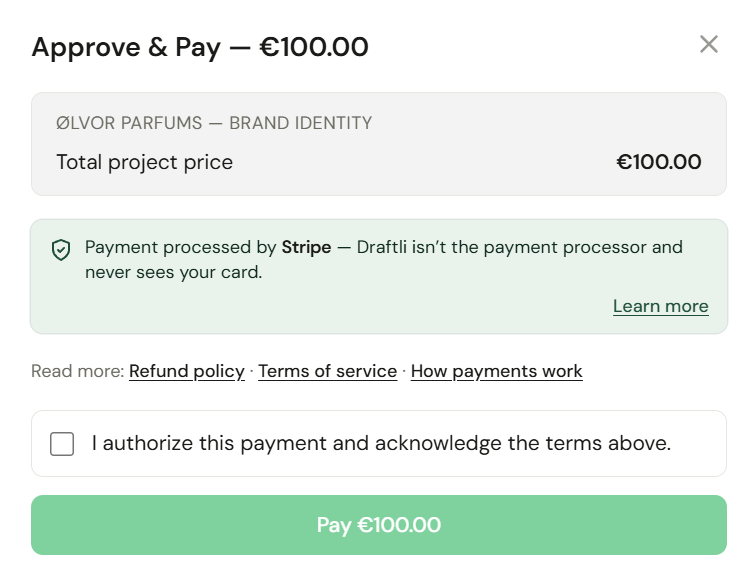
One green button. Stripe opens. The approval-to-invoice dance is now a single flow.
3
Paid
Funds in your Stripe account. Originals unlock for download. You’re already on the next project.
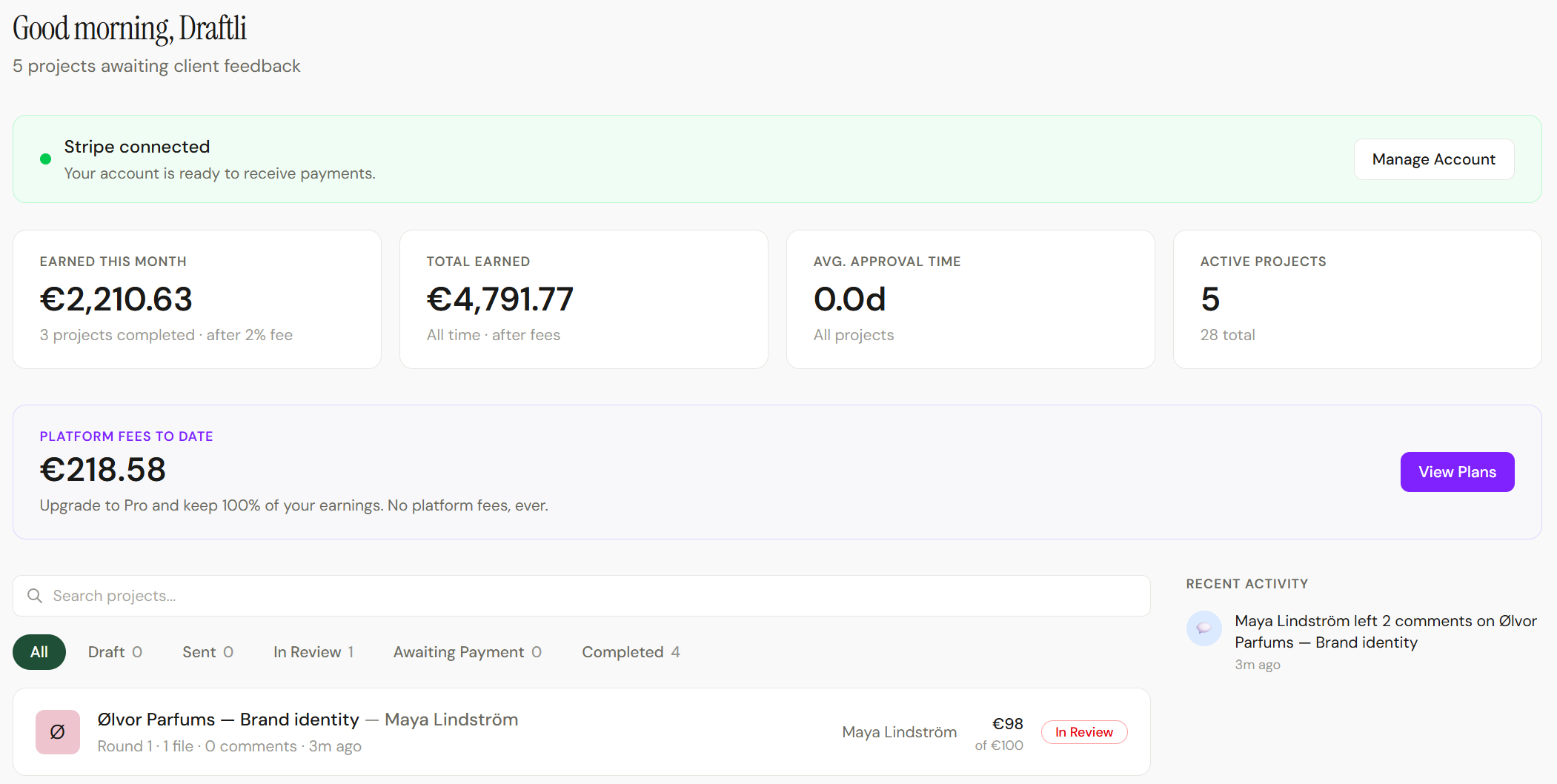
From feedback to funded — in a single conversation.
See the full flow in 40 seconds
Project created. Files uploaded. Link shared. Client approves. Money in. The whole loop, condensed.
Walk the same approval-to-payment flow your clients walk. No signup, no card needed.
Why creators use Draftli
Built around the work freelancers actually do.
There’s a tool for the project. There’s a tool for the invoice. Between them sits the part that actually ends the job — sending the work, getting the yes, getting paid. Draftli is that part.
Approve = Pay. Same click.
There’s no separate invoice. The Approve button starts Stripe Checkout in the same flow. Funds land in your Stripe balance the same session.
Checkoutstripe
Brand identity
Round 2 · Olvor Studio
$1,200
One link beats five emails.
Send the URL. Your client opens it on whatever they’re holding — phone, tablet, laptop. No “create an account to view” wall.
draftli.io/r/proof-x9k…Copy
Pin it to the pixel.
Clients click the spot they’re talking about. No more “the third one from the left” — every comment lands on a coordinate.
Click anywhere to pin

New round, same link.
Iterate without breaking the URL. Upload a new round, the same share link points to it, and the client sees what changed. The previous round’s annotations stay archived.
For creators
What you actually deliver
Three crafts, the same workflow.

Designers
Brand decks, mockups, logos. Watermarked PNG, JPG, and PDF previews. Annotations stick to the file.

Video editors
720p preview clips out. Full-resolution masters stay locked until payment. Clients review on their phone.

Photographers
Watermarked galleries. Selects approved frame by frame. Originals release the moment payment clears.
The payment gap
Why approval should be the payment trigger.
The work was approved on Tuesday. The invoice should not be sitting unpaid the following Tuesday.
The old way
- Send the file
- Open the invoicing app
- Send a separate invoice
- Wait. They got busy.
- “Hey, just bumping this up”
- Eventually paid
Days. Then a week. Then awkward.
The Draftli way
- Send one link
- Client clicks Approve
- Stripe charges in the same flow
Same click. Every time.

Closing the gap
The gap between approved and paid.
The freelance payment cycle breaks in one predictable spot: the work goes out in one email, the invoice in another — a separate app, on a separate day. Your client already said yes, then has to come back, find the invoice, and dig out a card. They got busy. Days pass.
The awkwardness was never about the work — it’s the gap between approved and paid, living in two tools on two days. Draftli removes the invoice step entirely: the Approve button is the invoice.
Ultra
Your brand, their whole portal.
On Ultra, the review page your client approves and pays in wears your logo, color, and name — not ours.
 Ølvor Parfums
Brand identityFor your client
Round 1currentFiles1Approve
 Comments (3)
Pricing
Start free. Upgrade when you grow.
Free has no subscription cost — just a 2% platform fee on approved projects. Pro is a flat $10 with no platform fee. Cancel any time.
Free
Free2% platform fee on approved projects
- 1 GB storage
- 500 MB max file size
- 2% platform fee on approved projects
- Unlimited projects
- Community support
Most popular
Pro
$10/moNo platform fee — flat monthly
or $100/yr — save ~16%
- 25 GB storage
- 2 GB max file size
- No platform fee
- Unlimited projects
- Email support
Ultra
$29/moNo platform fee + custom branding
or $290/yr — save ~16%
- 100 GB storage
- 2 GB max file size
- No platform fee
- Custom branding for client portal
- Unlimited projects
- Priority support
Common questions.
When does Pro pay for itself?
Around $500/mo of approved projects. That's where the 2% Free platform fee equals Pro's flat $10. Below that line, Free is cheaper. Above it, Pro is. Most freelancers start on Free and switch the month their pipeline crosses the line.
Does my client need to sign up?
No. They open the link, review the work, approve, pay. They never see a sign-up form. They never need a password.
My client is nervous about paying through a tool they don't recognize. What can I send them?
Send them this page: draftli.io/secure-payments. It's written for the client, not for you. It explains that Stripe (the same company that processes payments for Shopify, Substack, Lyft, and most subscription products they already use) is the actual processor, that Draftli never sees or stores their card, and that the charge appears under your business name on their statement.
How does payment actually work?
Stripe Checkout opens on your connected Stripe account the moment your client hits Approve. Money flows client → Stripe → your Stripe balance → your bank. Draftli isn’t the payment processor and never sees your client's card. The charge appears on the client's card statement under your business name, not Draftli's. Minus Stripe's processing fee (always) and our 2% (only on Free).
Can I require a deposit before the client sees anything?
Yes. Set a deposit percentage when you create the project. The client pays the deposit through Stripe (charged directly to your account, same as today), reviews unlock, and the balance is charged on approval — also through Stripe, also directly to you. Both charges land directly on your connected Stripe account; Draftli isn’t the payment processor. Files stay locked until both are paid.
What if my client tries to keep the watermarked preview?
Let them. Originals live in a separate, private bucket and stay locked until payment clears. The watermarked preview is, in practice, a screenshot of your work — not the file.
What files actually work?
PNG, JPG, WebP. PDFs rendered page-by-page so clients can pin notes. MP4 and MOV with auto-generated preview clips. 500 MB per file on Free; 2 GB on Pro and Ultra.
Do I have to use Draftli for payments?
No. You can run review-only projects too — create a project without an amount and your client gets Approve & Download instead of Approve & Pay. Useful if you want to test the proofing flow first, or if a client prefers to pay another way.